Android Bug Report captures a device's state at a specific moment, and it allows our team to diagnose your technical issues. Please make sure to submit the report after replicating the technical issue, and include the date and time with the Biz Daemon log from Android devices.
If you have not submitted the Biz Daemon log yet, please refer to this article regarding how to submit the error log from Android devices.
Note: If your device was NOT enrolled with Device Owner Enrollment, please refer to this article.
To submit an Android Bug Report, please refer to the following:
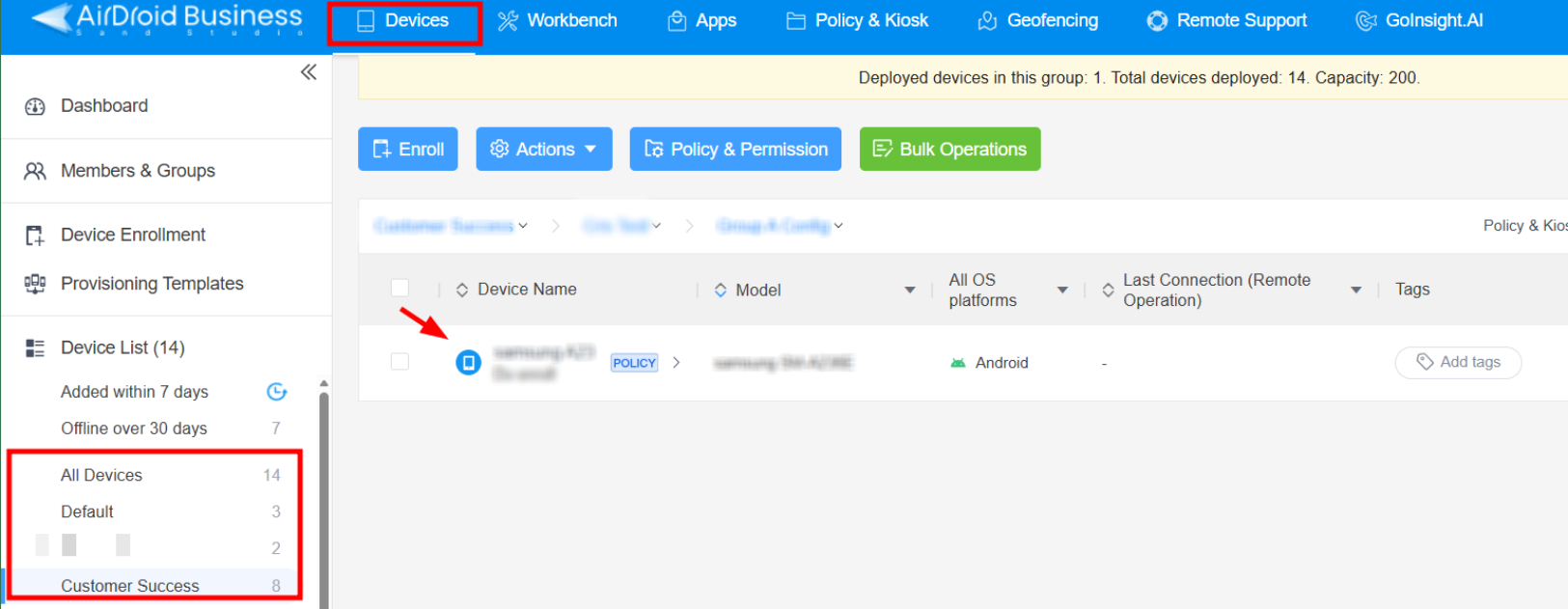
1. Go to Admin Console > Devices > Device List > select the affected device you need to submit the report.
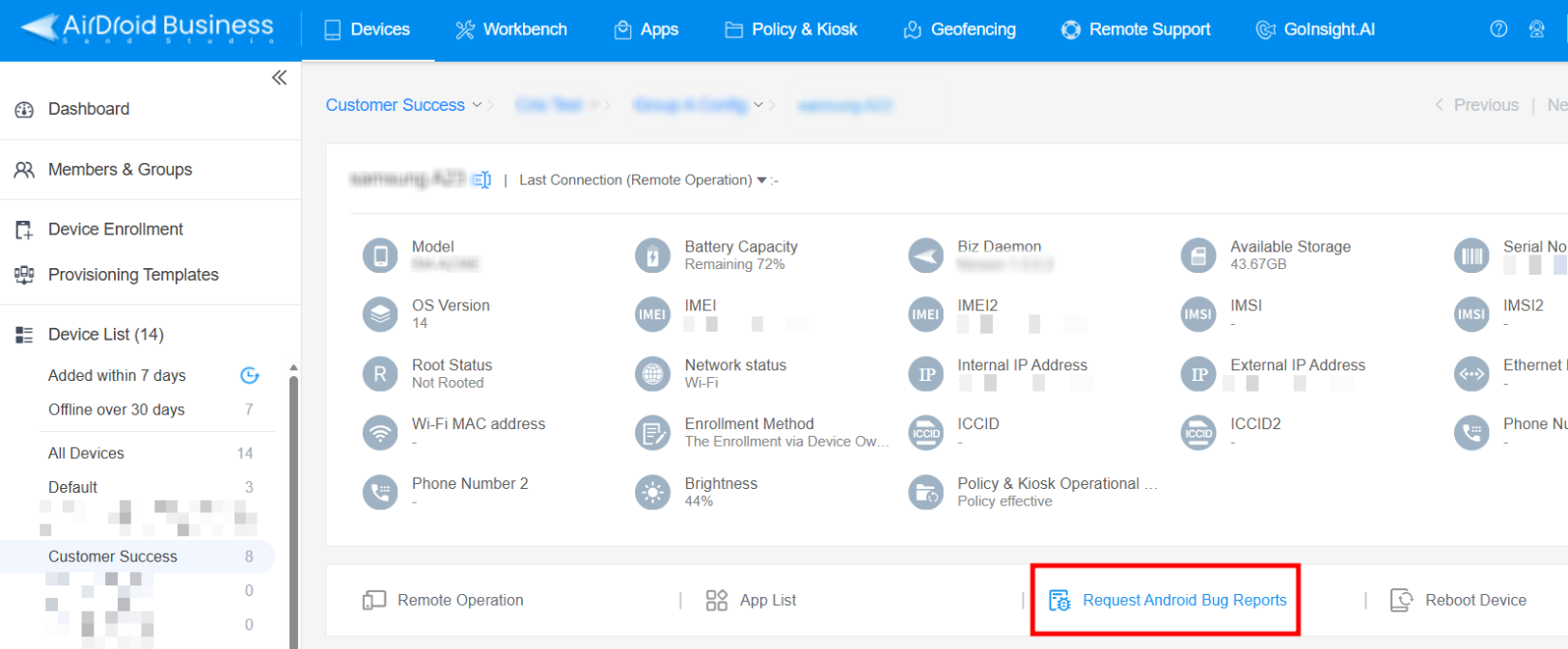
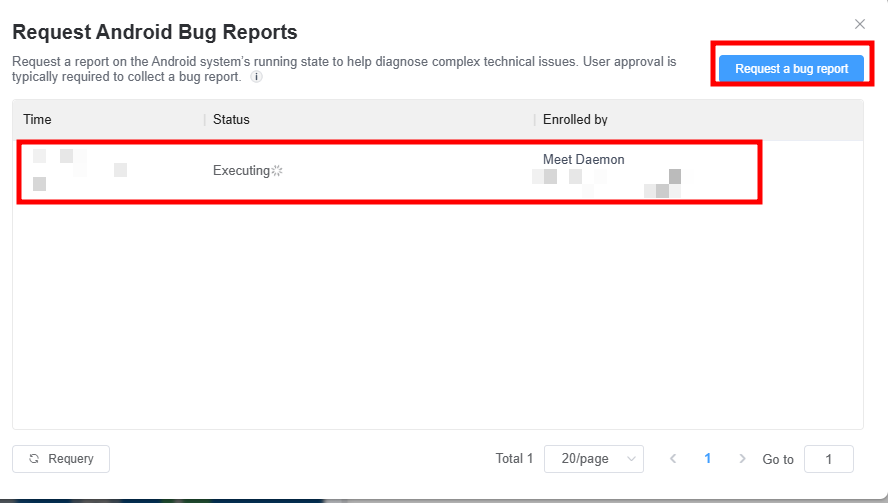
2. Tap Request Android Bug Reports > tap Request a bug report > it will send a request of the bug report to the affected device.
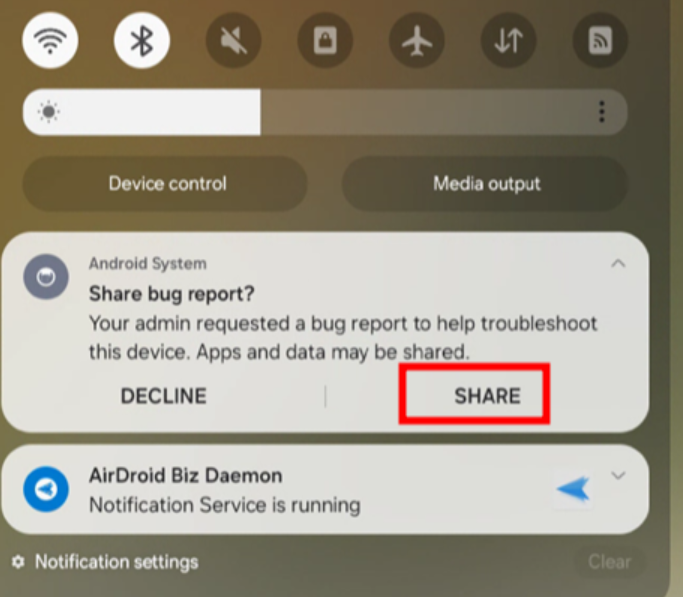
3. For the device end, you should see this notification. Tap SHARE to upload the Android Bug Report.
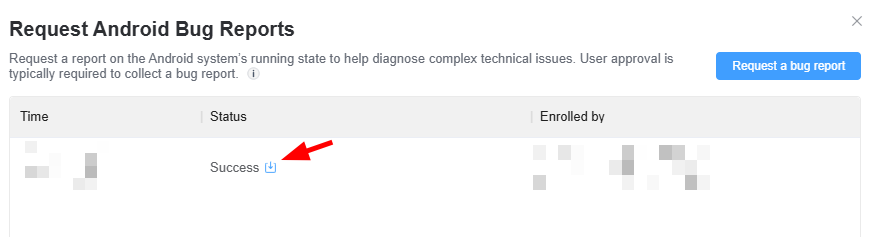
4. Then, it will show Success on the Admin Console, and you can tap the download icon for the report. Please attach the ZIP file and email it to us.
Was this article helpful?
That’s Great!
Thank you for your feedback
Sorry! We couldn't be helpful
Thank you for your feedback
Feedback sent
We appreciate your effort and will try to fix the article